DSC8 · CONTROL
The customized software for our hardware
The interaction between our hardware and software results in the same operation as with an AV receiver or amplifier: e.g. volume control, muting, input switching or status displays. Just as with an AV receiver, the audio signal is decoded as required if surround sound is involved.

Free of charge
Our software is free of charge! You can simply download, install and start it. No registration or license key is required.

Runs locally
The installed software runs locally on your computer without any restrictions!
Our software doesn’t need the Internet or a cloud. And what for?

Future-proof
Hardware generally only offers a fixed range of functions that can rarely be expanded with new functions. Software, on the other hand, is flexible and can be easily expanded.
We still have lots of ideas about what we will integrate into our software. An exciting future lies ahead of you!

Like a native app
The user interface is written in HTML. This means you can easily open it in a modern web browser. In full screen it looks like it was made for your device. It doesn’t matter whether you use a smartphone, tablet or PC.
And the best thing about it: on most smartphones and tablets, you can even save the user interface as an app and then use it like a native app!

Also for touchscreens
Of course, swipe gestures are also supported. This makes using the touchscreen really fun!
Adaptable
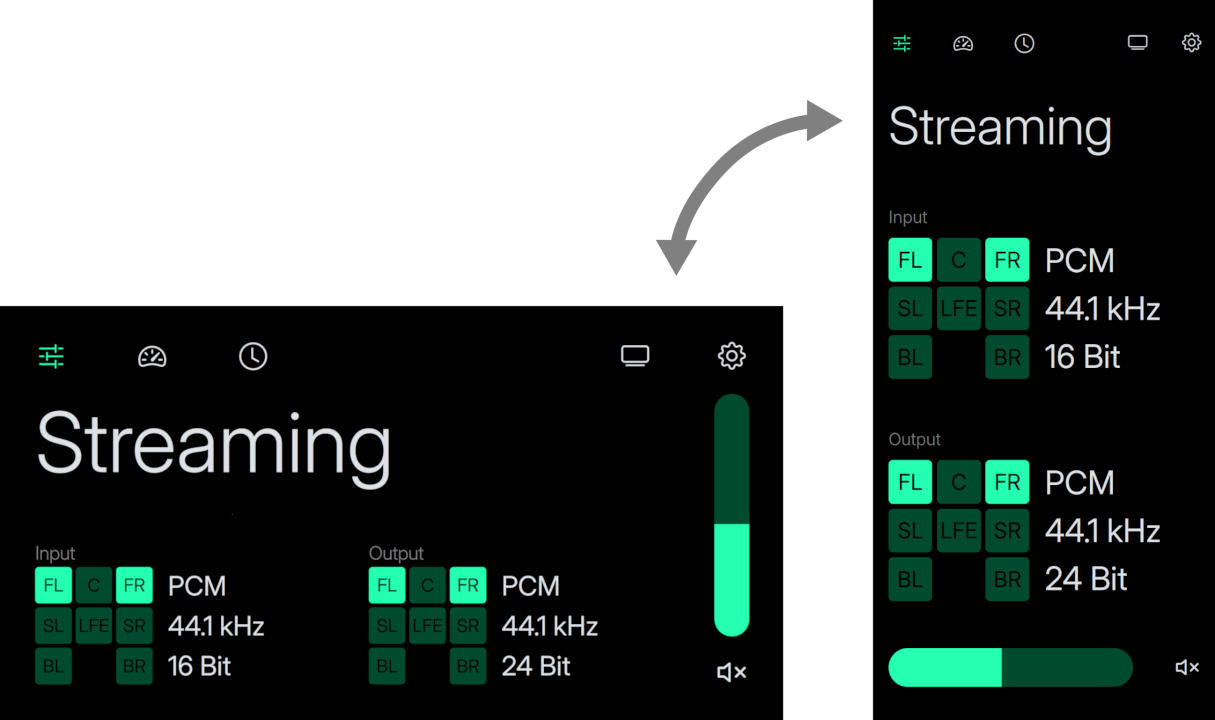
The user interface adapts to your display, regardless of whether it is in portrait or landscape format. The same applies to a small or large display: the display is always scaled fully automatically. This ensures the best possible display at all times.
Full control
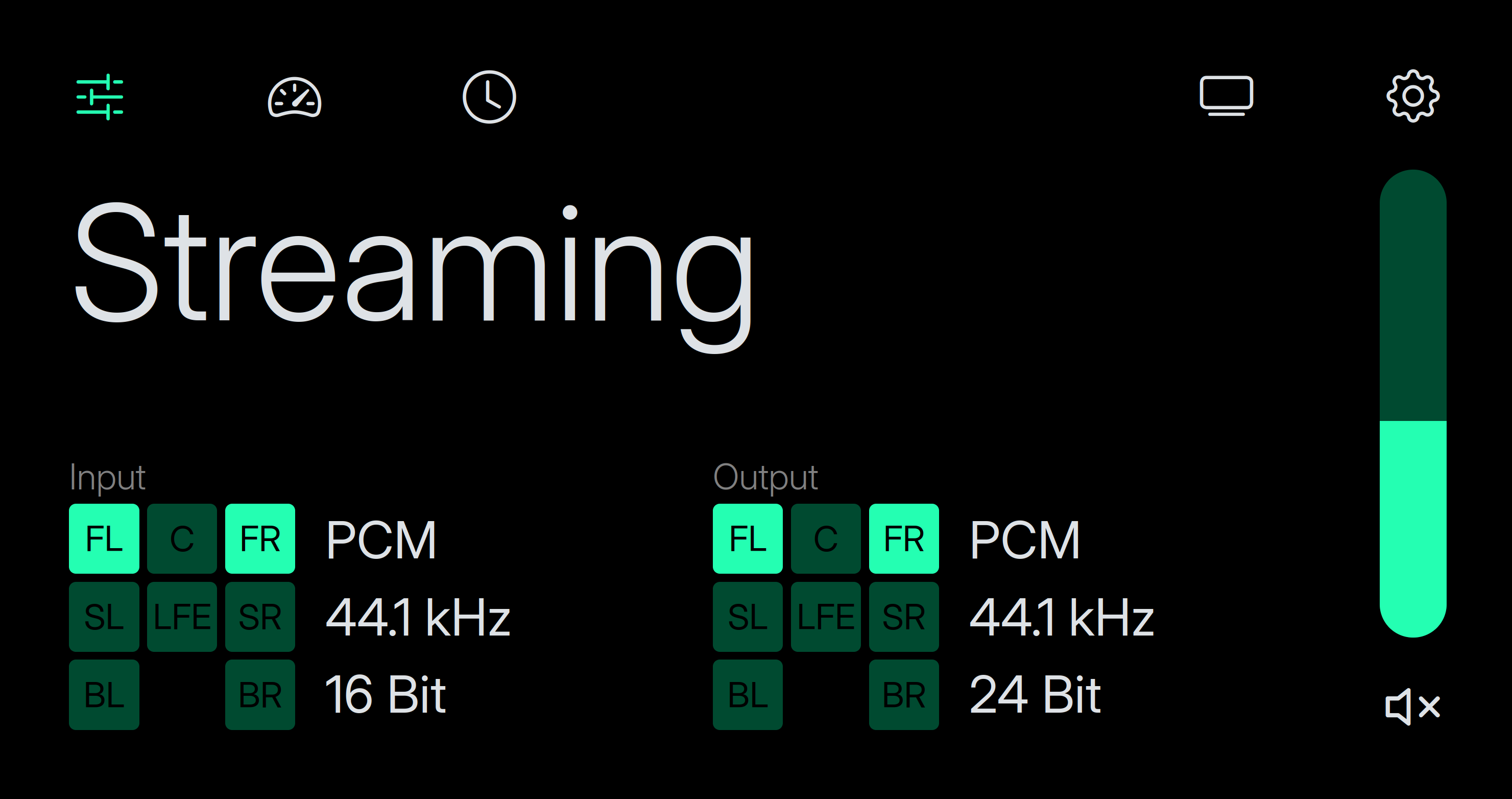
Here you have all the essentials at a glance: the volume, mute and source of the signal. The controls are really easy to use: simply click on the corresponding control element and it will respond to your inputs.
You are also shown what kind of signal is being received and how it is being output. So no more questions remain unanswered.
Simple selection
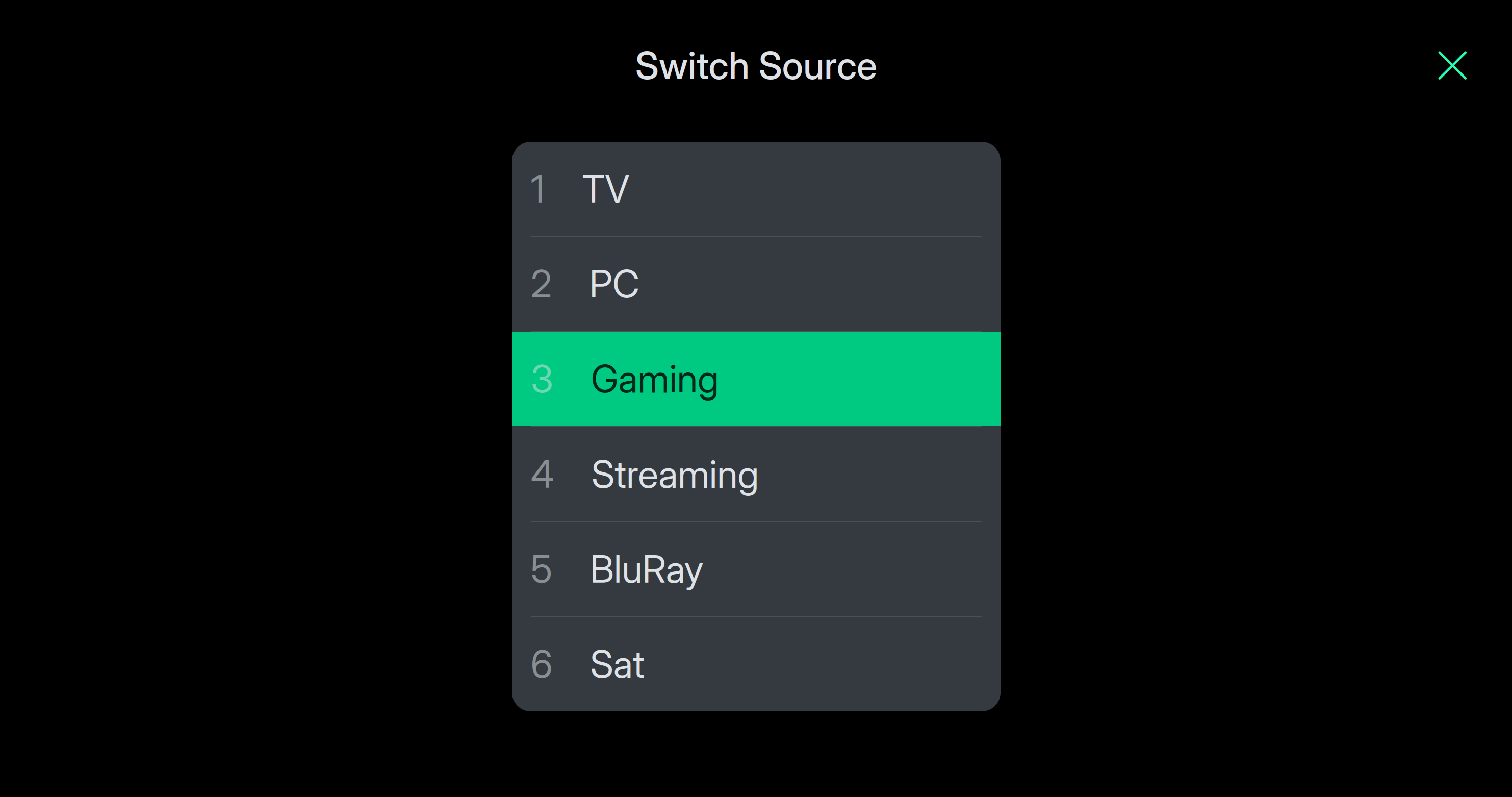
Simply click on the source and you can select a different input. The number of available sources depends on how many expansion cards you have connected.
Visual fireworks
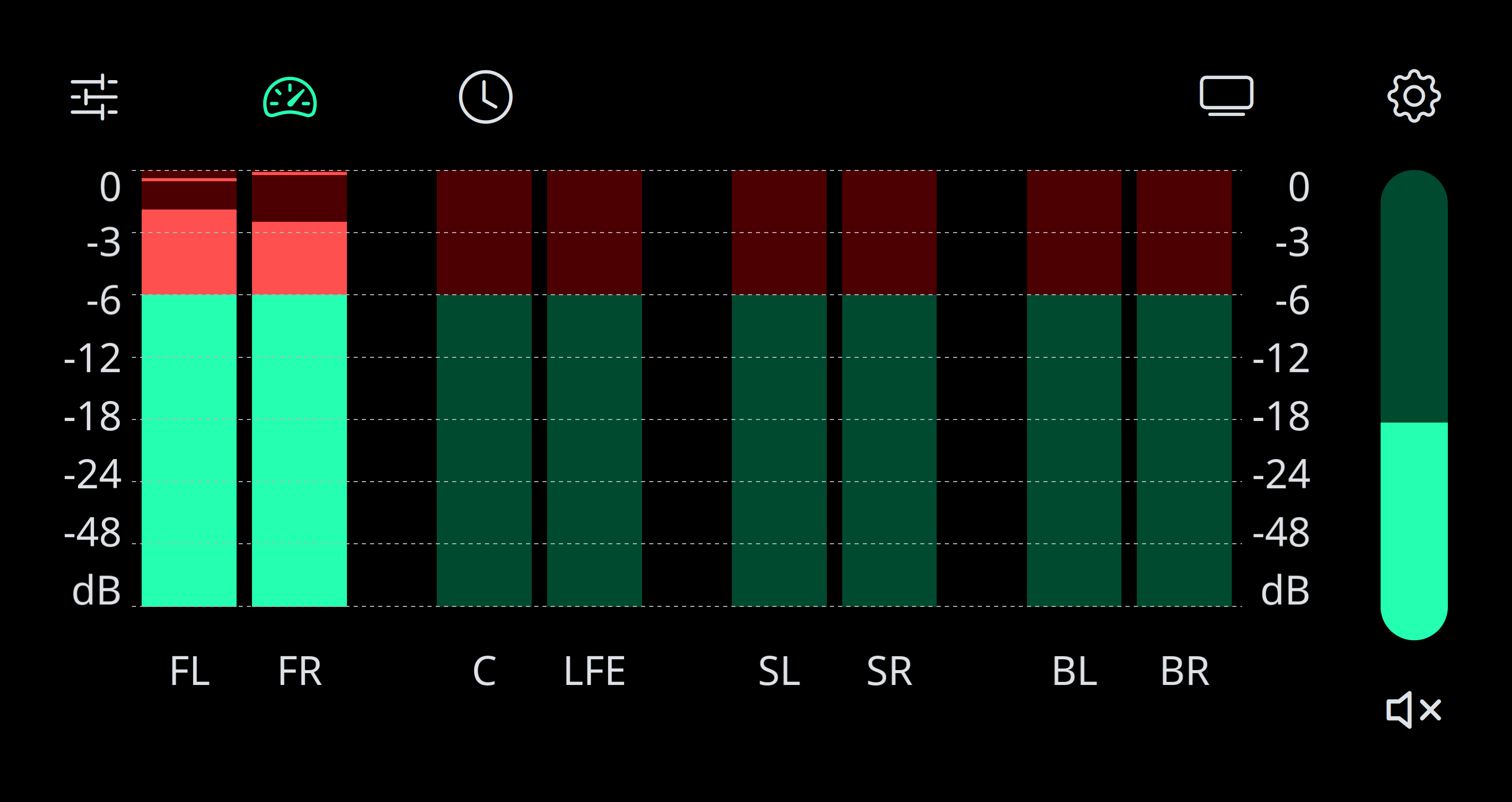
The animated level display not only looks cool, it also has real added value! You can always see the level at which a signal is being output on which channel. This makes it easy for you to visually track the output.
Time at a glance
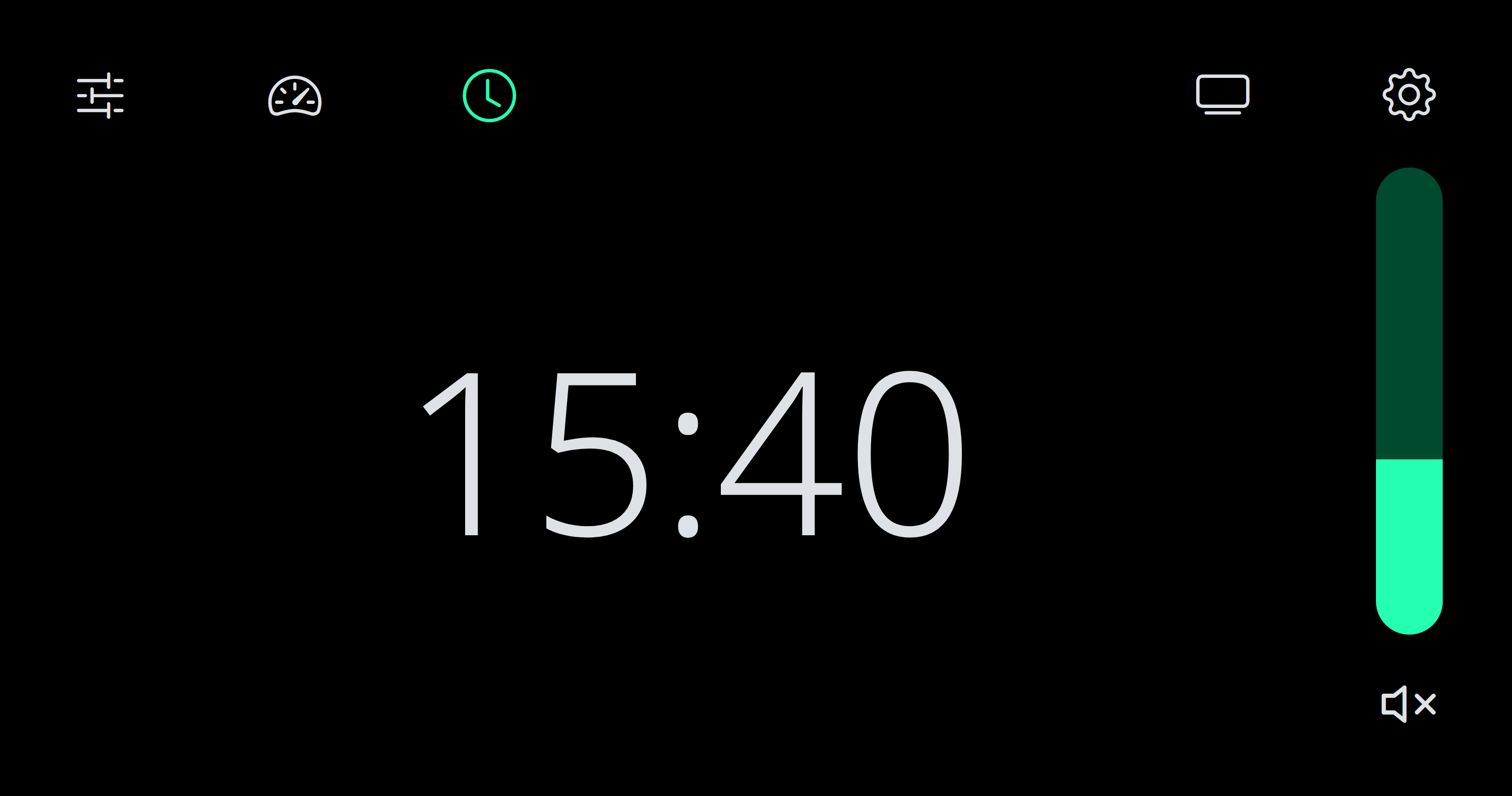
No watch to hand? No problem! Simply switch the view to the time.
In the settings, you can configure whether seconds and the date should also be displayed.
It is a small but very useful detail.
Many possibilities
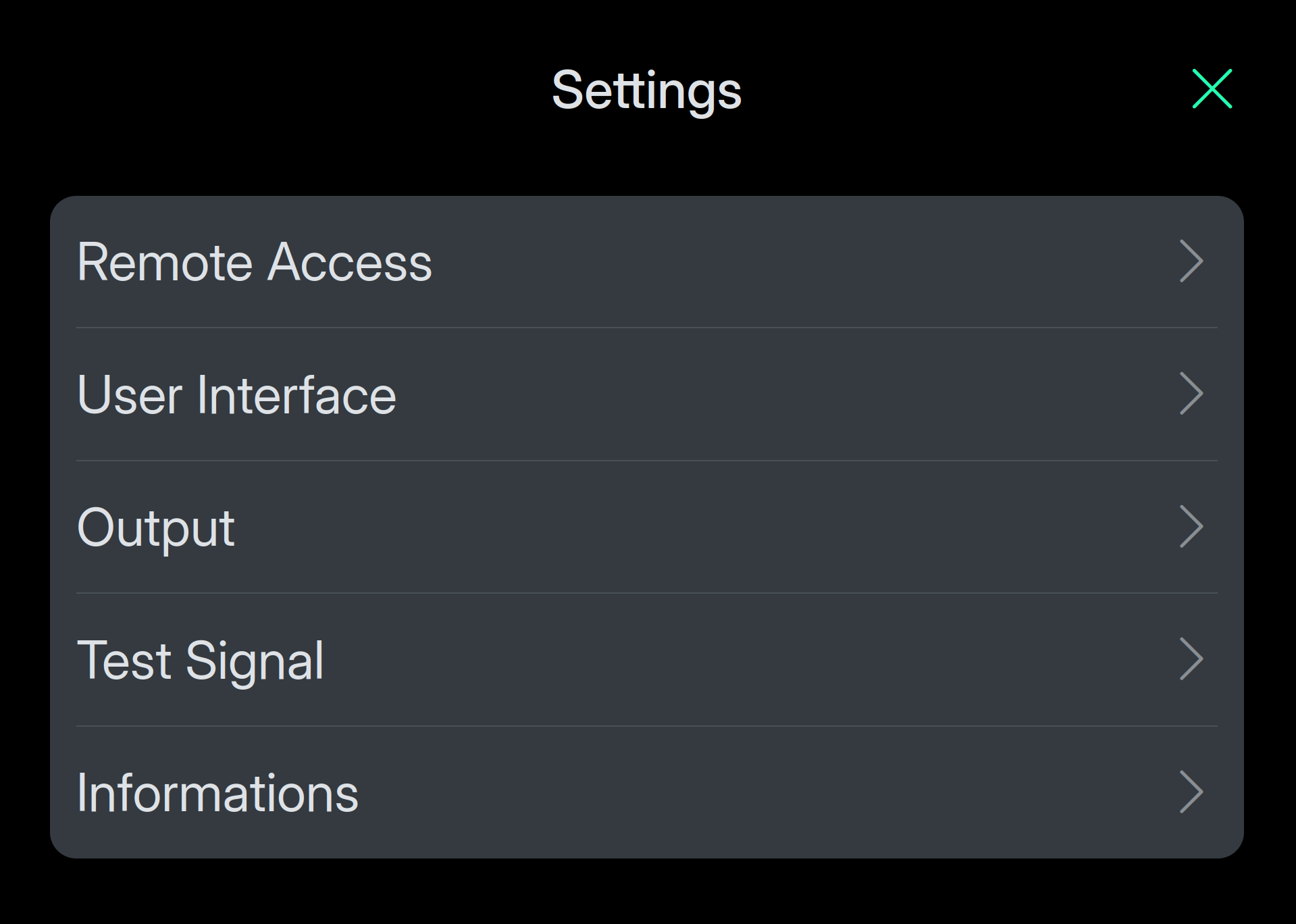
In the settings, you will not only find many options for setting up your system perfectly. Here you will also find information about your system or how to save the user interface as an app on your smartphone.
For developers
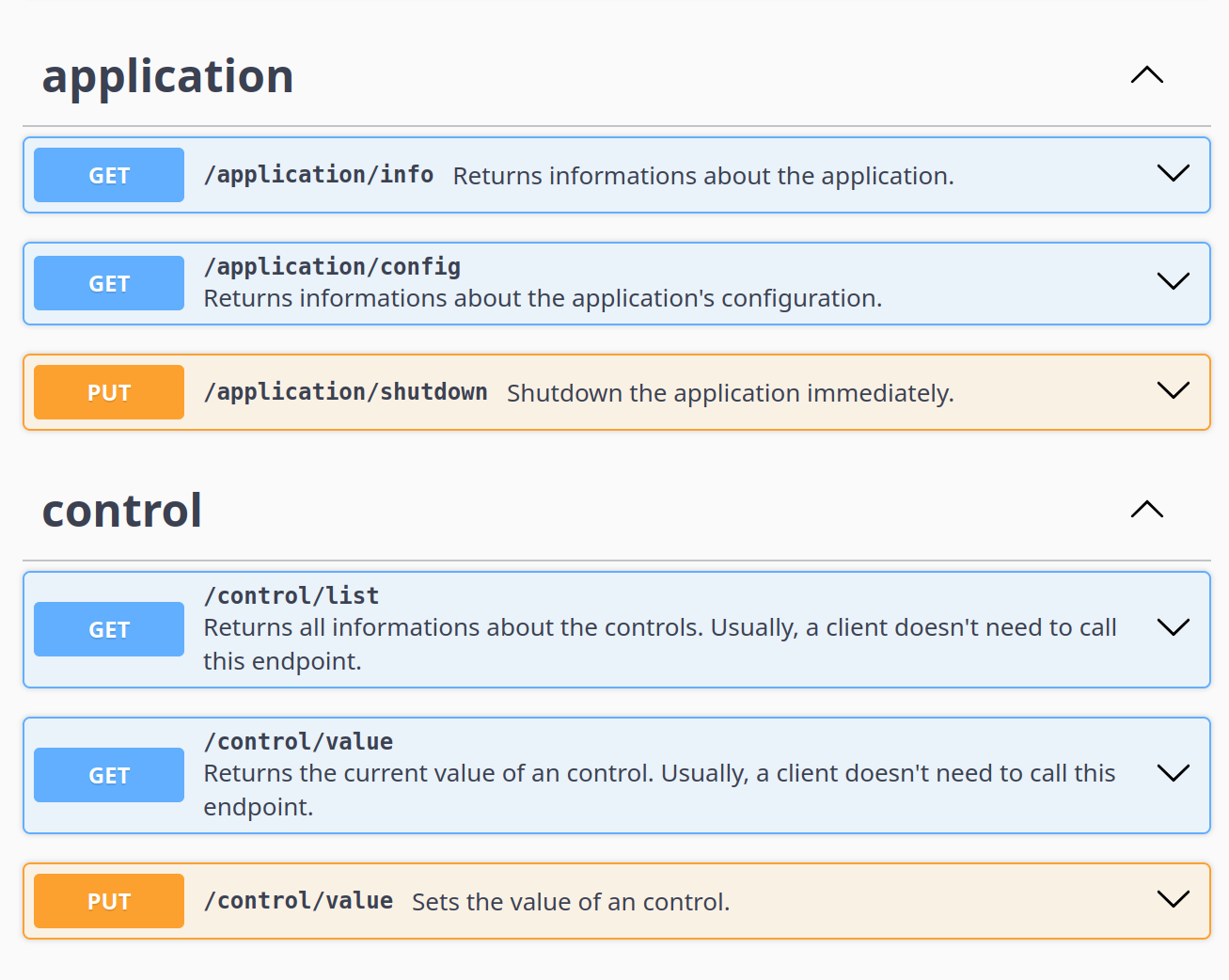
The software offers REST interfaces and WebSockets, which you can use to control everything. You can easily view the documentation in your web browser and even try it out interactively.
Apache license
Version 2.0, January 2004
CONDITIONS OF USE, REPRODUCTION AND DISTRIBUTION
1. Definitions
'License' means the terms and conditions for use, reproduction and distribution as set out in sections 1 to 9 of this document.
'Licensor' means the copyright owner or the entity authorized by the copyright owner to grant the license.
"Legal Entity" means the combination of the Acting Legal Entity and all other legal entities that control, are controlled by, or are under common control with such Legal Entity. For purposes of this definition, "control" means (i) the power, direct or indirect, by contract or otherwise, to direct the management or administration of such entity, or (ii) ownership of fifty percent (50%) or more of the issued shares, or (iii) beneficial ownership of such entity.
'You' (or 'your') means a natural person or legal entity exercising the rights granted by this License.
'Source form' means the preferred form for modifications, including but not limited to software source code, documentation sources and configuration files.
'Object form' means any form resulting from the mechanical conversion or translation of a source form, including but not limited to compiled object code, generated documentation and conversions to other media types.
'Work' means the copyrighted work, whether in the form of a source or an object, that is made available under the License, as indicated by a copyright notice included in or attached to the Work (see the Appendix below for an example).
'Derivative Works' means any works, whether in source or object form, that are based on (or derived from) the Work and for which the editorial revisions, annotations, elaborations or other modifications collectively constitute a separate work. For purposes of this License, Derivative Works do not include works that remain separable from the Work and its Derivative Works or are merely linked (or associated by name) with their interfaces.
'Contribution' means any work, including the original version of the Work and any modifications or additions to that Work or derivative works thereof, that is intentionally submitted to Licensor for inclusion in the Work by the Copyright Owner or any person or entity authorized to submit on behalf of the Copyright Owner. For purposes of this definition, "submitted" means any form of electronic, oral, or written communication sent to Licensor or its agents, including, but not limited to, communications via electronic mailing lists, source code control systems, and issue tracking systems maintained by or on behalf of Licensor for the purpose of discussing and improving the Work, but excluding communications clearly marked as "o".
'Contributor' means the Licensor and any natural or legal person on whose behalf a Contribution has been received by the Licensor and subsequently incorporated into the Work.
2. Granting of a copyright license
Subject to the terms of this License, each Contributor hereby grants you a perpetual, worldwide, non-exclusive, royalty-free, royalty-free and irrevocable copyright license to reproduce, prepare derivative works of, publicly display, publicly perform, sublicense and distribute the Work and such derivative works in source or object form.
3. Granting of a patent license
Subject to the terms and conditions of this License, each Contributor hereby grants to You a perpetual, worldwide, non-exclusive, royalty-free, irrevocable (except as provided in this section) patent license to make, have made, use, offer to sell, sell, import and otherwise transfer the Work, which license applies only to those patent claims that can be licensed by such contributor and that are necessarily infringed by such contributor’s contribution(s) alone or by the combination of such contributor’s contribution(s) with the work for which such contribution(s) was filed. If you initiate a patent suit against an entity (including a counterclaim or cross-claim in a lawsuit) alleging that the work or a contribution incorporated in the work constitutes direct or contributory patent infringement, all patent licenses granted to you under this License for that work will terminate as of the date of initiation of that suit.
4. Dissemination
You may reproduce and distribute copies of the Work or derivative works in any medium, with or without modification, in source or object form, provided that you comply with the following conditions:
-
You must provide a copy of this License to all other recipients of the Work or Derivative Works; and
-
You must ensure that all modified files contain a clear indication that you have modified the files; and
-
You must retain in the source form of any derivative work that you distribute all copyright, patent, trademark, and attribution notices from the source form of the work, except for those notices that do not pertain to any part of the derivative work; and
-
If the work includes a text file titled "NOTICE" as part of its distribution, all derivative works you distribute must include a legible copy of the copyright notices contained in that NOTICE file, except for those notices that do not pertain to any part of the derivative work, in at least one of the following places: in a NOTICE text file distributed as part of the Derivative Works; within the source form or documentation, if provided with the Derivative Works; or within a display generated by the Derivative Works, if and where such third party notices normally appear. The contents of the NOTICE file are for informational purposes only and do not modify the license. You may add your own copyright notices in the derivative works you distribute, either alongside or as an appendix to the NOTICE text from the work, provided that such additional copyright notices cannot be construed as modifying the license.
You may add your own copyright notice to your modifications and set additional or different license terms for the use, copying or distribution of your modifications or for such derivative works as a whole, provided that your use, copying and distribution of the work otherwise complies with the terms set forth in this License.
5. Submission of contributions
Unless you expressly state otherwise, all Contributions that you intentionally submit to Licensor for inclusion in the Work are subject to the terms of this License, without any additional terms. Notwithstanding the foregoing, nothing in this document supersedes or modifies the terms of any separate license agreement you may have entered into with Licensor with respect to such Contributions.
6. Trademark
This license does not grant permission to use Licensor’s trade names, trademarks, service marks or product names except as necessary for fair and customary use in describing the source of the work and reproducing the contents of the NOTICE file.
7. Disclaimer
Except as required by applicable law or agreed to in writing, Licensor provides the Work (and each Contributor’s Contributions) "as is" without any express or implied warranties or conditions, including, but not limited to, warranties or conditions of title, non-infringement, merchantability, or fitness for a particular purpose. You are solely responsible for determining the appropriateness of using or redistributing the work and assume all risks associated with exercising your rights under this license.
8. Limitation of liability
Under no circumstances and under no legal theory, whether in tort (including negligence), contract or otherwise, shall any contributor be liable to you for any damages, including direct, indirect, special, incidental or consequential damages of any kind arising out of this license or out of the use of or inability to use the work (including, but not limited to, damages for loss of goodwill, work stoppage, computer failure or malfunction, or any other commercial damage or loss), even if such contributor has been advised of the possibility of such damages.
9. Assumption of warranty or additional liability
In redistributing the Work or Derivative Works, you may choose to offer support, warranty, indemnification or other liability obligations and/or rights in accordance with this License and charge a fee for doing so. However, in assuming such obligations, you may act only on your own behalf and at your sole risk, not on behalf of other contributors, and only if you agree to indemnify, defend and hold harmless each contributor for all liabilities incurred by it as a result of your assumption of such warranty or additional liability or for any claims asserted against it.
END OF THE TERMS AND CONDITIONS
Operating system
-
Currently, only Linux with a kernel version ≥ 6.8.0 is supported.
-
The following CPU architectures are supported:
-
x86-64: Intel/x86-compatible CPU with 64 bit
-
aarch64: 64 Bit ARM CPU possibly also known as ARM64
-
Hardware
-
The computer must have at least a USB interface version 2.0 or higher.
-
The requirements for the computer hardware, e.g. CPU or main memory, depend on the requirements of the operating system used. These can be found in the operating instructions for the operating system.
-
The installation itself only requires a few megabytes. However, sufficient memory should be available on the data carrier for dependent libraries and programs. We therefore recommend at least 2 GB. However, we assume that you will probably need significantly less memory.
hifidom products
-
The sound card DSC8 · MAIN
-
At least one input expansion card such as DSC8 · SPDIF IN
Please do not be put off by the fact that the following text is quite long. This is due to the fact that all possible installation variants are described.
The application can currently only be installed under Linux. There are two basic installation methods:
The following CPU architectures are supported:
-
arm64: All ARM based 64-bit CPUs (tested with Raspberry Pi OS/Trixie)
-
amd64: All 64-bit x86 compatible CPUs from AMD & Intel (tested with Ubuntu)
Installation with a deb package under Debian or Ubuntu
Here again there are two options for installation:
-
Installation on a desktop PC: The application is installed on a desktop PC and runs in the background. The user interface can be opened with a web browser.
-
Dedicated 'Digital Sound Controller': The computer is to become a dedicated 'Digital Sound Controller'. The application is installed exclusively on the computer. The user interface of 'DSC8 · CONTROL' is automatically started in full screen. ATTENTION: Existing desktops such as GNOME or KDE will be completely uninstalled!
Installation on a desktop PC
The application is installed on a desktop PC and runs in the background. The user interface can be opened with a web browser.
You execute the commands in the following steps in the command console:
Step 1
Add the hifidom repository as a trusted source for the installation of software:
wget -qO - http://sw.hifidom.com/install-hifidom-repos.sh | bash
Step 2
Install the software:
sudo apt install dsc8-control
Step 3
The software is now installed. Open the user interface with a web browser:
Replace the character string <hostname> in the URL with the IP or domain name of the computer on which you have installed the software. On the computer with the installation, you can open the interface with http://localhost/.
IMPORTANT: Use http not https!
Dedicated 'Digital Sound Controller'
The computer is to become a dedicated 'Digital Sound Controller'. The application is installed exclusively on the computer. The user interface of 'DSC8 · CONTROL' is automatically started in full screen. ATTENTION: Existing desktops such as GNOME or KDE will be completely uninstalled!
Execute the following commands in the command console in this order:
Step 1
Add the hifidom repository as a trusted source for the installation of software:
wget -qO - http://sw.hifidom.com/install-hifidom-repos.sh | bash
Step 2
Install the software:
sudo apt install dsc8-gear
The software user interface starts automatically.
The manual installation for all other Linux distributions
Execute the following commands in the command console in this order:
Step 1
Open the following URL in your web browser:
Step 2
Download the latest version of the application that matches your CPU architecture. Here is an example: The number 1.6 in the file name dsc8-control-1.6-arm_64.tgz stands for the version and arm_64 for the CPU architecture.
Step 3
Unpack the downloaded archive:
tar -xvzf <filename>
Replace the character string <filename> with the corresponding name of the downloaded file, e.g. dsc8-control-1.6-arm_64.tgz.
Step 4
The application is installed. Open the user interface in the web browser with the following URL:
Replace the character string <hostname> in the URL with the IP or domain name of the computer on which you have installed the software. On the computer with the installation, you can open the interface with http://localhost:8080/.
IMPORTANT: Use http not https!